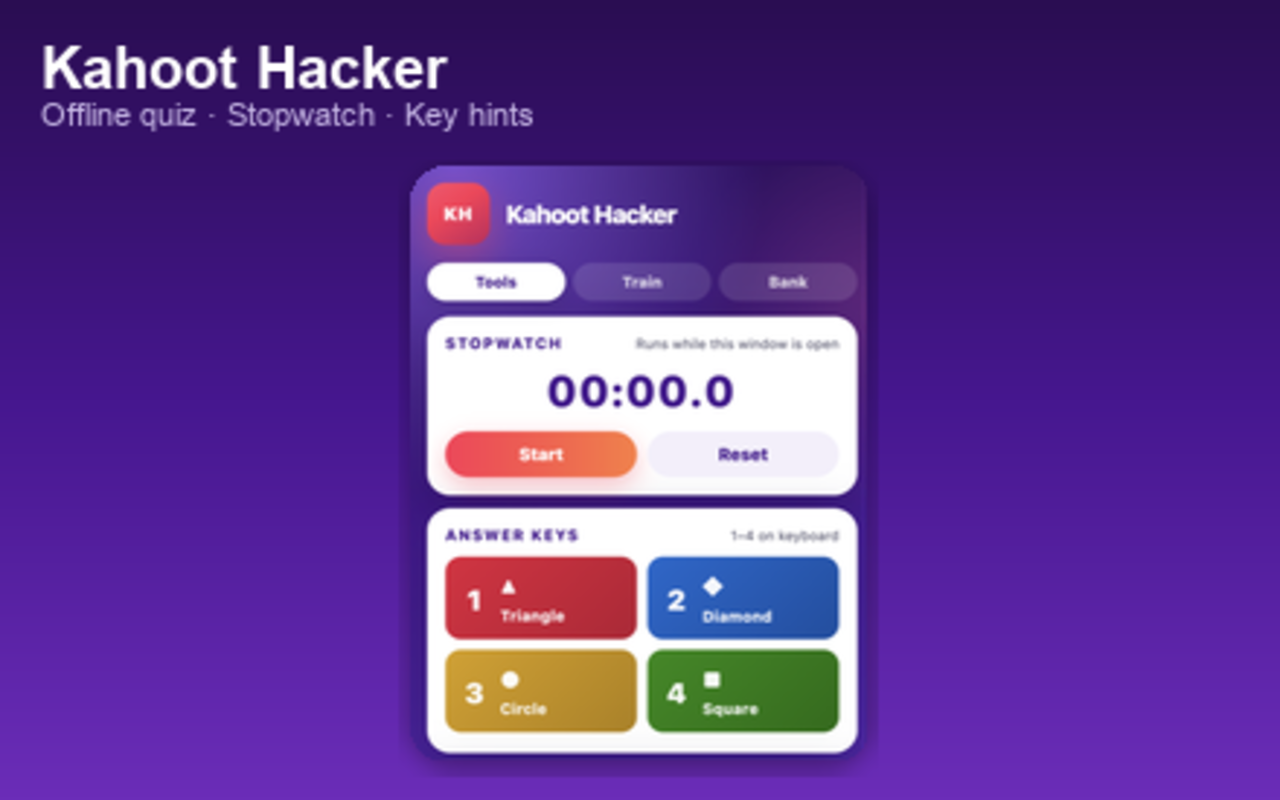
User guide — everything runs in the extension popup. Practice offline with your own
questions, or use the stopwatch and key hints while you play on kahoot.it.
Install & open
Install the extension from the Chrome Web Store (or load it unpacked in
chrome://extensions if you are testing).
Click the extension icon in the Chrome toolbar. If you do not see it, open the puzzle
menu (extensions) and pin Kahoot Hacker.
The popup opens. Use the three tabs at the top: Tools,
Train, and Bank.
Tools tab
Stopwatch — Press Start to begin, Pause
to pause, Resume to continue, and Reset to clear. The
timer only runs while the popup is open.
Answer keys — Reminder of Kahoot-style keys:
1 triangle (red), 2 diamond (blue),
3 circle (yellow), 4 square (green).
Open kahoot.it — Opens the official Kahoot site in a new tab.
Bank tab (your questions)
Add questions you want to use for offline practice. Each question needs four
answers and one correct radio choice.
Fill in Question and the four Option fields.
Select the radio button next to the correct answer.
Click Save question (or Update question when editing).
Use Edit and Delete in the list below.
On first install, a few sample questions may appear. You can delete them and build your
own bank. Data is stored only on your device.
Train tab (offline quiz)
This mode is not connected to Kahoot games. It is practice only, using
questions from your Bank.
Check how many questions you have, then choose how many per round: 3, 5, 10, or All.
Click Start round. Questions are picked in random order.
Tap a colored answer or press 1–4 on the keyboard.
Click Next after each feedback screen. At the end you see your score.
Use Play again to return to the start screen.
Privacy
The extension uses local storage to save your question bank. No quiz
data is sent to a server by this extension. The optional open kahoot.it
button only opens your browser to the official site.